Set up treatments and staff
Add your services, team, availability, forms, and clinic details.
 Zenome
Med spa and clinic software
Booking, intake forms, payments, memberships, and client rewards—together in one clear workspace.
30 days free. CA$0 today, then CA$69/month. Card required. Cancel anytime.
Your clinic day, at a glance
Appointments, staff availability, and online booking
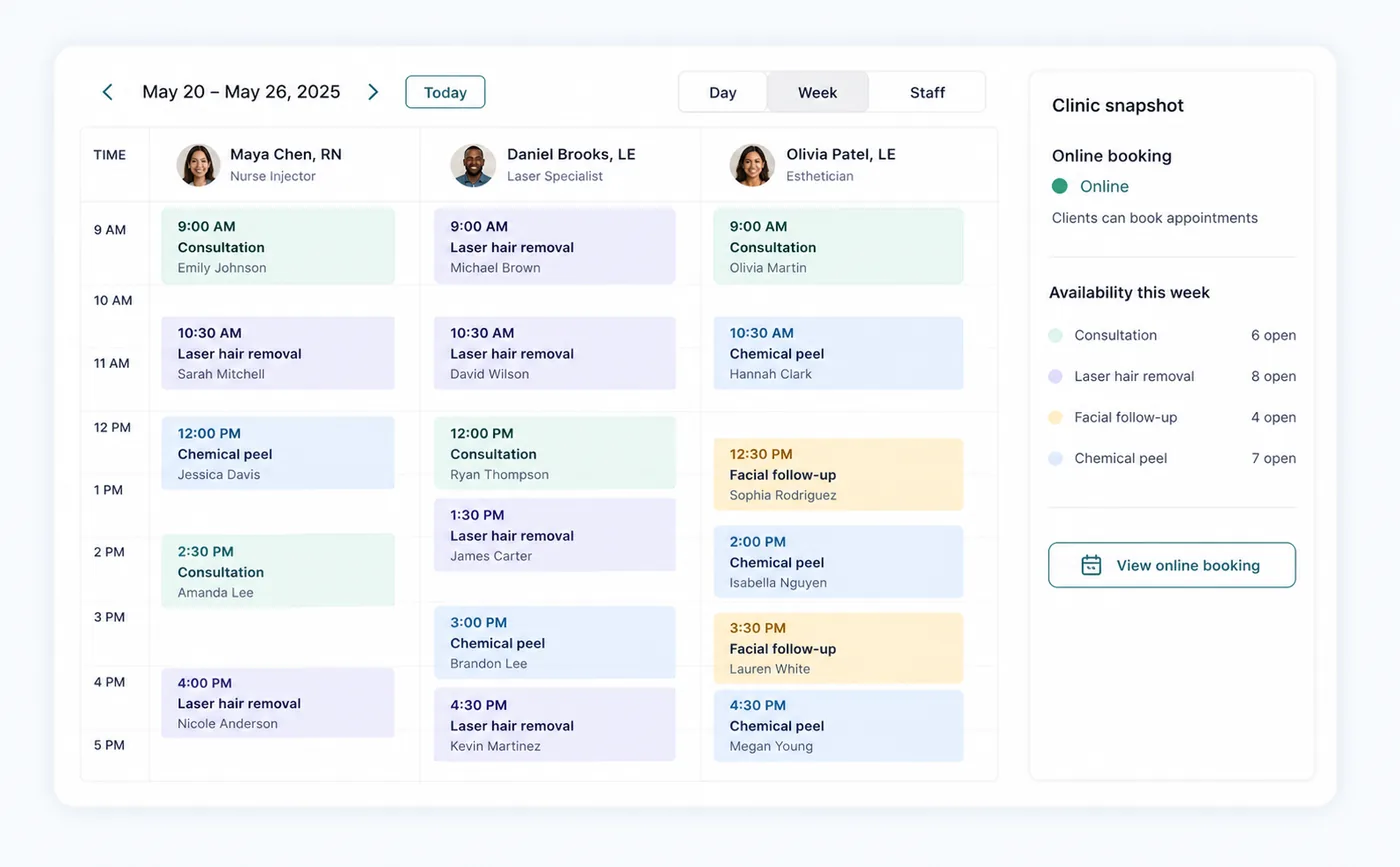
Made for modern clinic teams
Online bookingFormsRemindersPaymentsMembershipsReportsOne connected clinic workflow
Give clients a polished booking experience while your team keeps schedules, forms, payments, and follow-up organized.
Smart booking
Staff scheduling
Client management
Treatment menus
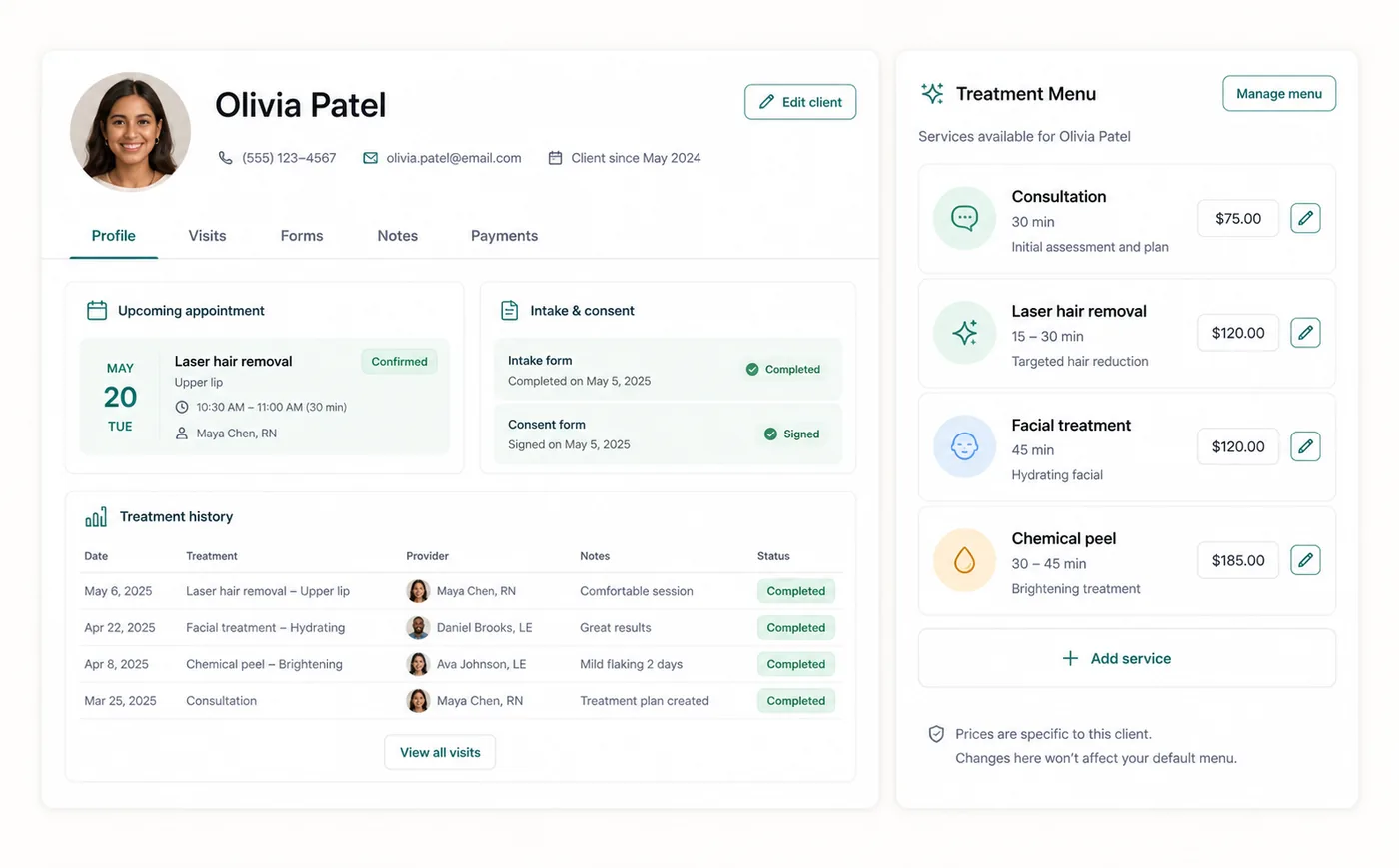
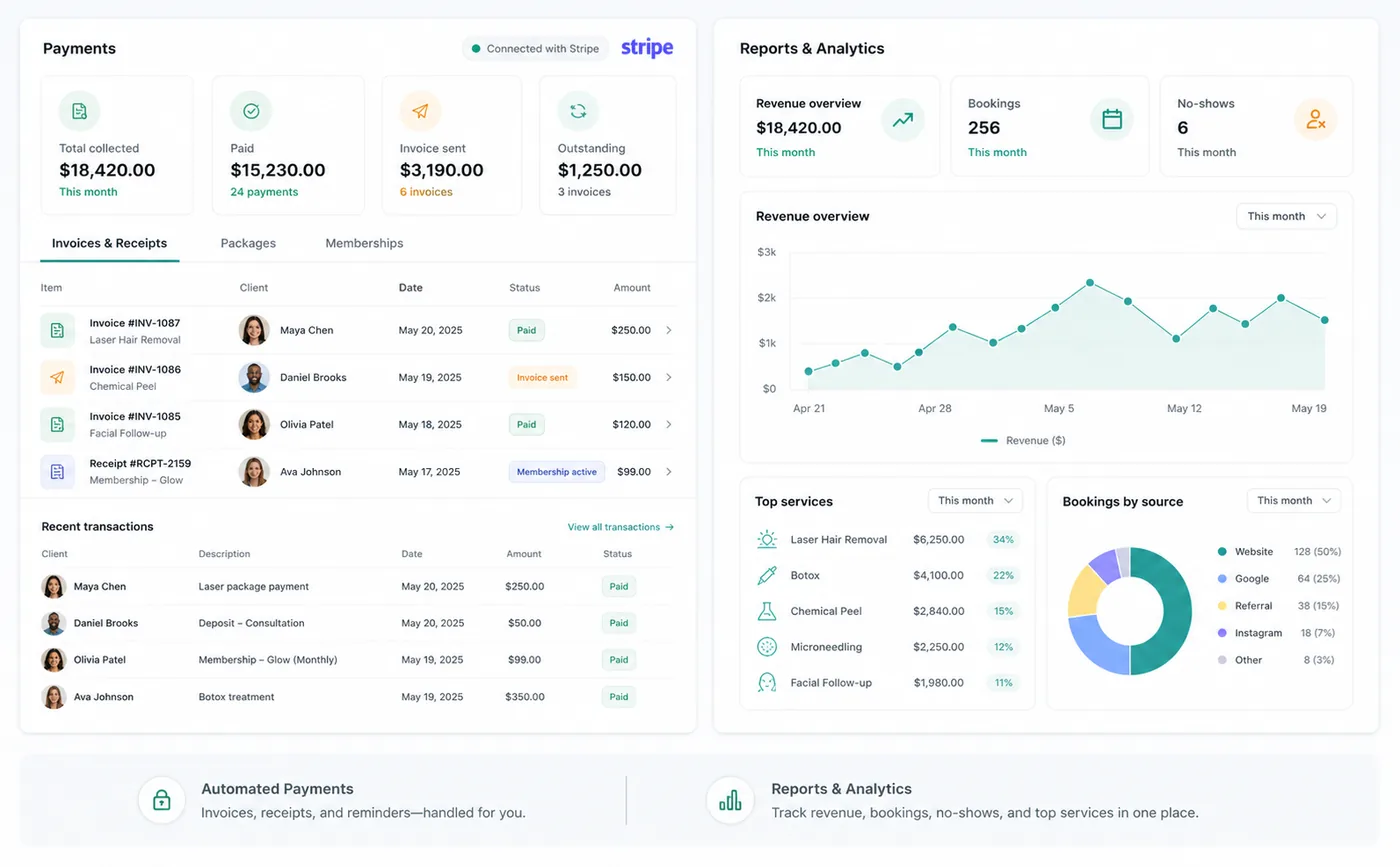
Automated payments
Reports and analytics
How it works
Add your services, team, availability, forms, and clinic details.
Share a branded booking page with available treatments, providers, and times.
Send confirmations and reminders, collect forms, and connect payment records.
Built around the whole team
Give each team member the context they need, with access controlled by the clinic owner.
Clinic owner
Review the schedule and billing activity, manage team access, and keep clinic settings in one place.
Reception team
Find a client, book their next appointment, and check forms and payment history from the workspace.
Provider
Bring visit history, notes, and signed forms together so the next appointment starts with context.
Questions, answered
Clear answers about pricing, setup, support, mobile access, integrations, security, and cancellation rules.
Zenome's current clinic plan is $69 CAD per month. Visit the pricing page for the included features and any optional add-ons.
Zenome supports connected card payments for configured clinics. Visit the payments page to learn about setup and the supported payment workflows.
Setup time depends on the size of your treatment menu, staff team, forms, and availability rules. Guided onboarding keeps public booking private until your clinic is ready to launch.
Email support@zenome.app for setup and product questions. Our Help page also has step-by-step guides for everyday clinic workflows.
Each clinic has its own workspace, with owner-controlled staff access and separate client-facing booking and portal routes. Review the security page for the current safeguards.
Zenome is a web-based product designed to work across modern desktop and mobile browsers. A native mobile app is not currently advertised.
Clinics can control cancellation and rescheduling rules. When enabled, clients can manage eligible appointments through their portal while the clinic keeps an activity record.
Ready for a calmer clinic day?
30 days free. CA$0 today, then CA$69/month. Card required. Cancel anytime.