Inside Zenome

The whole clinic flow, finally in view.

From the first online booking to forms, treatment, payment, membership, and follow-up, Zenome keeps every stage connected and visible.

BookingClient carePaymentsMembershipsReports
Zenome clinic scheduling workspace

Today

One calm operating view

Built for real clinic work

Product in practice

Not a feature list. A connected working day.

Each workspace is designed around the next decision your team needs to make.

Booking and schedules

See the clinic day before it gets busy.

Bring online booking, staff availability, blocked time, arrivals, and daily actions into one clear operating view.

  • Public booking follows real availability
  • Staff can manage the full appointment lifecycle
  • Mobile and desktop views stay practical
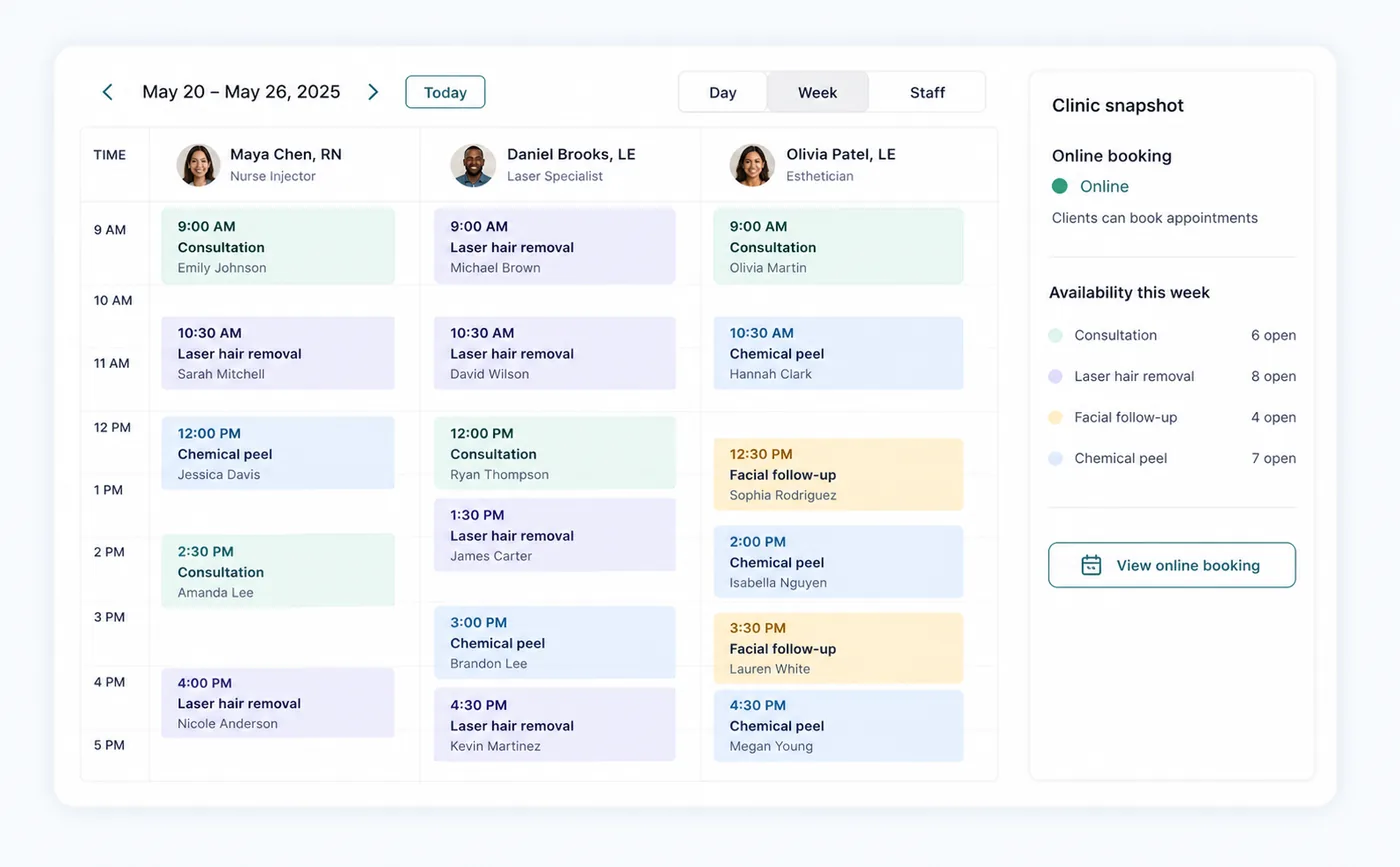
Zenome scheduling workspace showing clinic appointments and daily operations

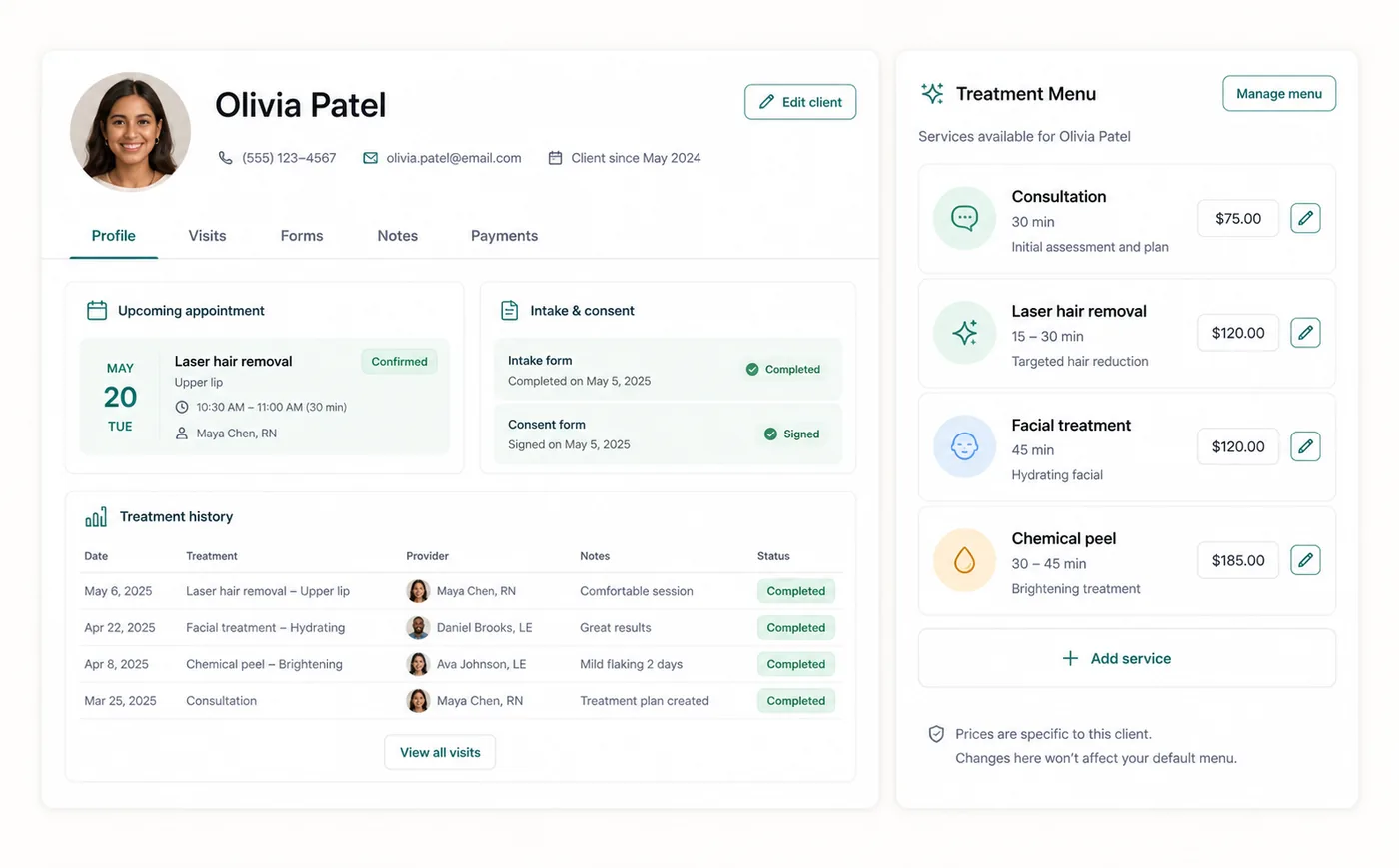
Clients and care

The complete client story, ready for the next visit.

Keep profile details, appointments, forms, consents, chart notes, files, communication, packages, and memberships connected.

  • One profile across front desk and treatment workflows
  • Forms and consent history remain easy to find
  • Billing context stays connected to the client
Zenome client profile and treatment workspace

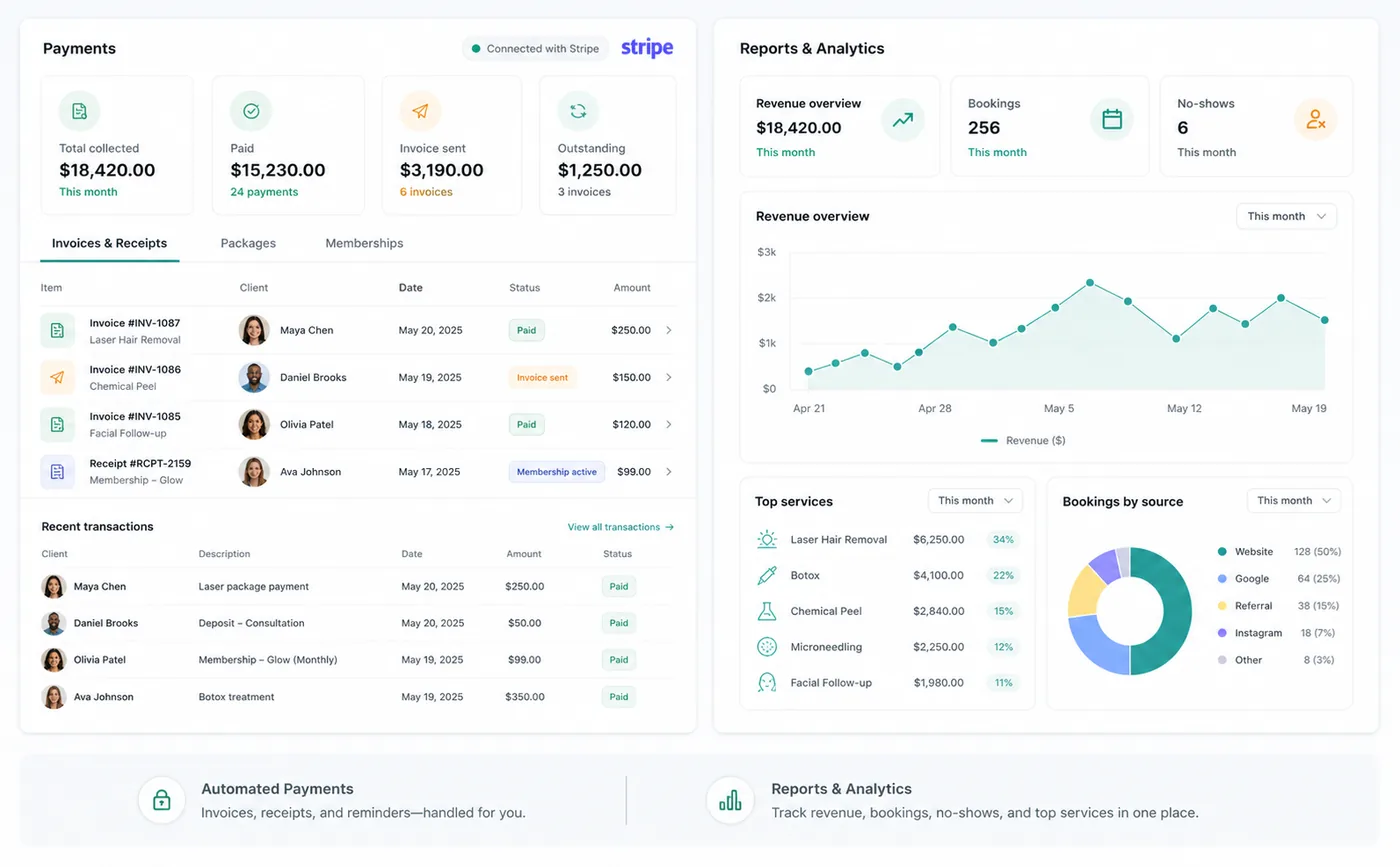
Payments and insight

Move from completed visit to confident checkout.

Connect invoices, Stripe payments, receipts, refunds, packages, memberships, and reporting without losing the source record.

  • Collect and reconcile clinic payments
  • Offer packages and recurring memberships
  • Review operational and billing activity
Zenome Stripe-connected payments, memberships, and reporting workspace

Everything connected

Every core workflow is already on the floor.

Clear enough for the front desk, complete enough for owners, and connected enough for providers.

Online booking

A clinic-branded booking page where clients choose treatments, providers, times, and optional membership interest.

Staff scheduling

Provider schedules, working hours, blocked time, and availability rules guide what clients can book.

Appointment management

A daily staff workspace for appointments, check-in, client context, forms, and visit flow.

Forms and consents

Intake forms, treatment forms, photo/video consent, cancellation policy, and signed consent history.

Email notifications

Booking confirmations, cancellations, form links, invoice messages, and receipts are sent and logged.

Reminders

Reminder settings and communication history help staff see what was sent and what still needs follow-up.

Email marketing controls

Marketing opt-in, welcome email readiness, subscriber reports, and consent-aware outreach controls.

Payments

Stripe-connected payment setup for clinics that want card payments, invoices, receipts, and billing records.

Reports and memberships

Booking, client, billing, and marketing reports, plus package and membership definitions for clinic offers.

Ready when your clinic is

Bring the entire client journey into one workspace.

Start privately, set up your clinic carefully, and publish booking only when your team is ready.

Start onboarding