
Zenome reference

Recurring memberships

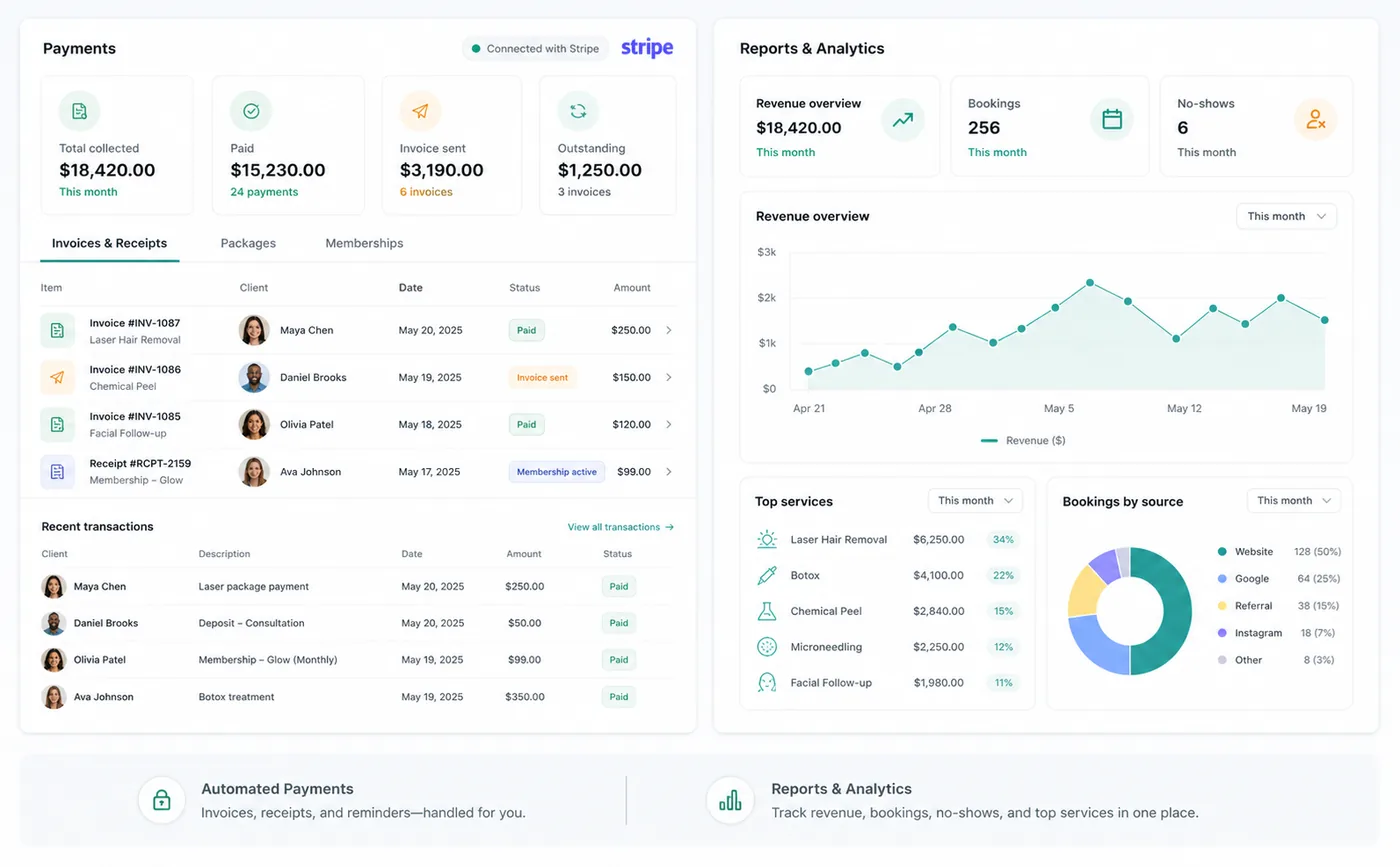
Create recurring membership plans, collect regular payments, manage client benefits, and quickly see whether each membership is active, pending, or cancelled.

Zenome recurring membership and payment status workspace

Memberships that stay in sync

Automatic renewalsPayment statusClient benefits
A preview of the Zenome workspace. Your screen may vary slightly based on clinic settings and staff access.

Set it up

Before the workflow starts

  • Connect the clinic Stripe account and complete verification.
  • Create the membership name, recurring price, billing interval, tax treatment, benefits, cancellation terms, and public visibility.
  • Sync the membership price to the clinic connected account when the interface requests it.

Use it

The normal workflow

  • Start membership checkout from the client billing profile and let Stripe collect the payment method.
  • Benefits become active after Stripe confirms the first payment.
  • Renewals, failed payments, subscription updates, and cancellations update the existing client membership lifecycle.

Good to know

Helpful reminders

  • Zenome activates the correct client membership only after Stripe confirms payment.
  • If a payment needs attention, the membership stays pending instead of activating by mistake.
  • A client cannot accidentally purchase the same active membership twice.
  • After a clinic connects Stripe, memberships work without extra technical setup for each new plan.

Common tasks and fixes

Step-by-step help