
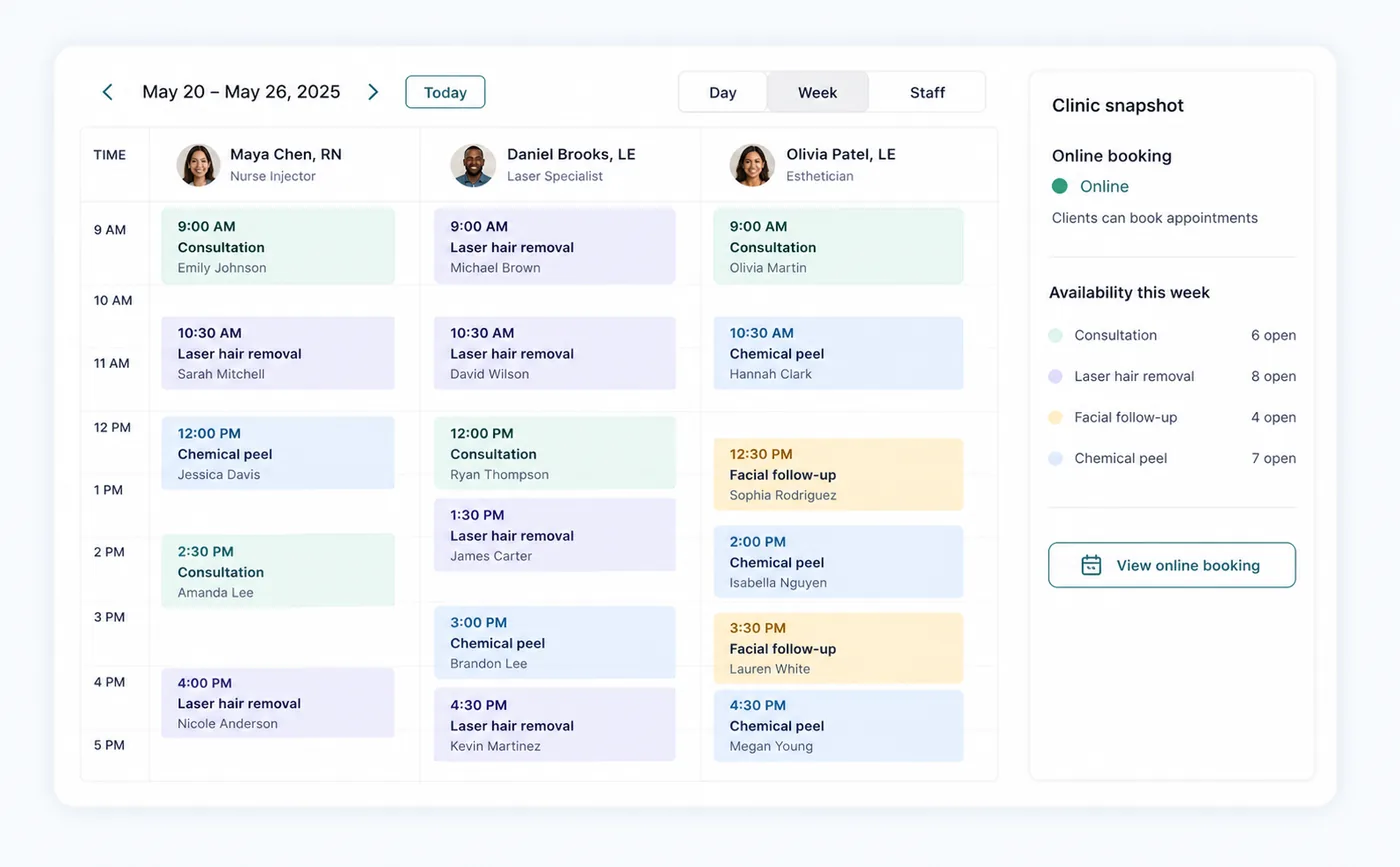
Run the day with confidence
Owners, reception, and providers
Daily operations and scheduling
Use Day for the live front-desk queue and Schedule for appointment creation, availability, blocked time, wait-list work, and visit changes.
Open referenceFeature reference
Visual, task-based guides for the workflows clinic owners and teams use most. Each guide shows how to get ready, what to do, and what to expect next.
Start from what you need to accomplish, not a technical module name.
See what Zenome handles for you and when staff attention may be needed.
Every guide identifies the exact Zenome workspace used by signed-in teams.

Run the day with confidence
Owners, reception, and providers
Use Day for the live front-desk queue and Schedule for appointment creation, availability, blocked time, wait-list work, and visit changes.
Open reference
A simple booking journey
Clients and clinic owners
The clinic-branded booking page lets clients search within treatment categories, select available services and practitioners, and book only conflict-free times.
Open reference
The complete client story
Reception and providers
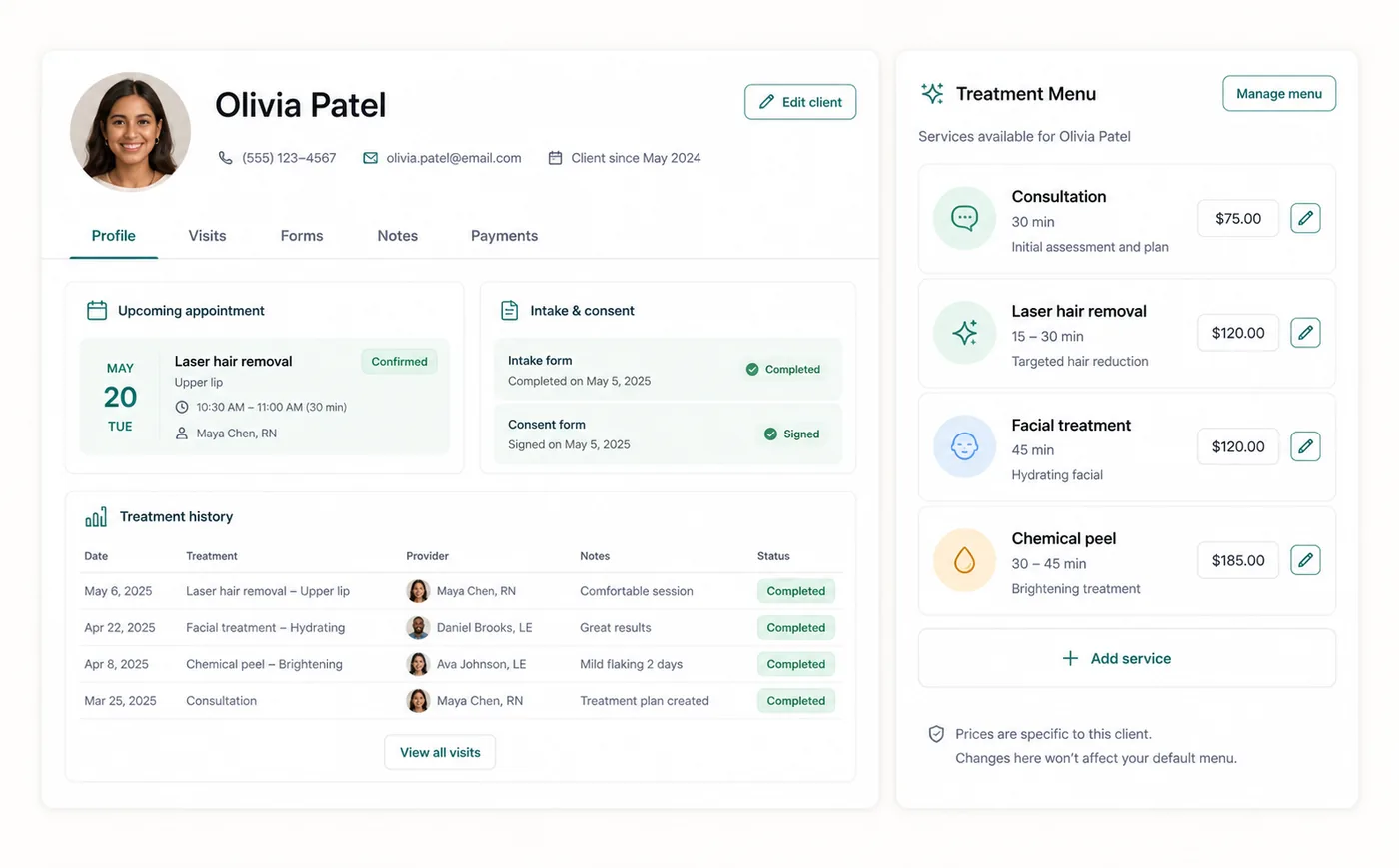
Client profiles connect contact details, appointments, chart notes, forms, communications, files, groups, billing, portal access, and duplicate-management tools.
Open reference
Shape your service menu
Owners
Owners configure clinic identity, branding, disciplines, treatments, duration, pricing, tax assignment, practitioners, booking visibility, and display order from Settings.
Open reference
A checkout everyone can follow
Owners and reception
Checkout turns completed services into independently traceable invoices while allowing eligible same-day appointments for one client to be collected together.
Open reference
Flexible ways to get paid
Owners and authorized billing staff
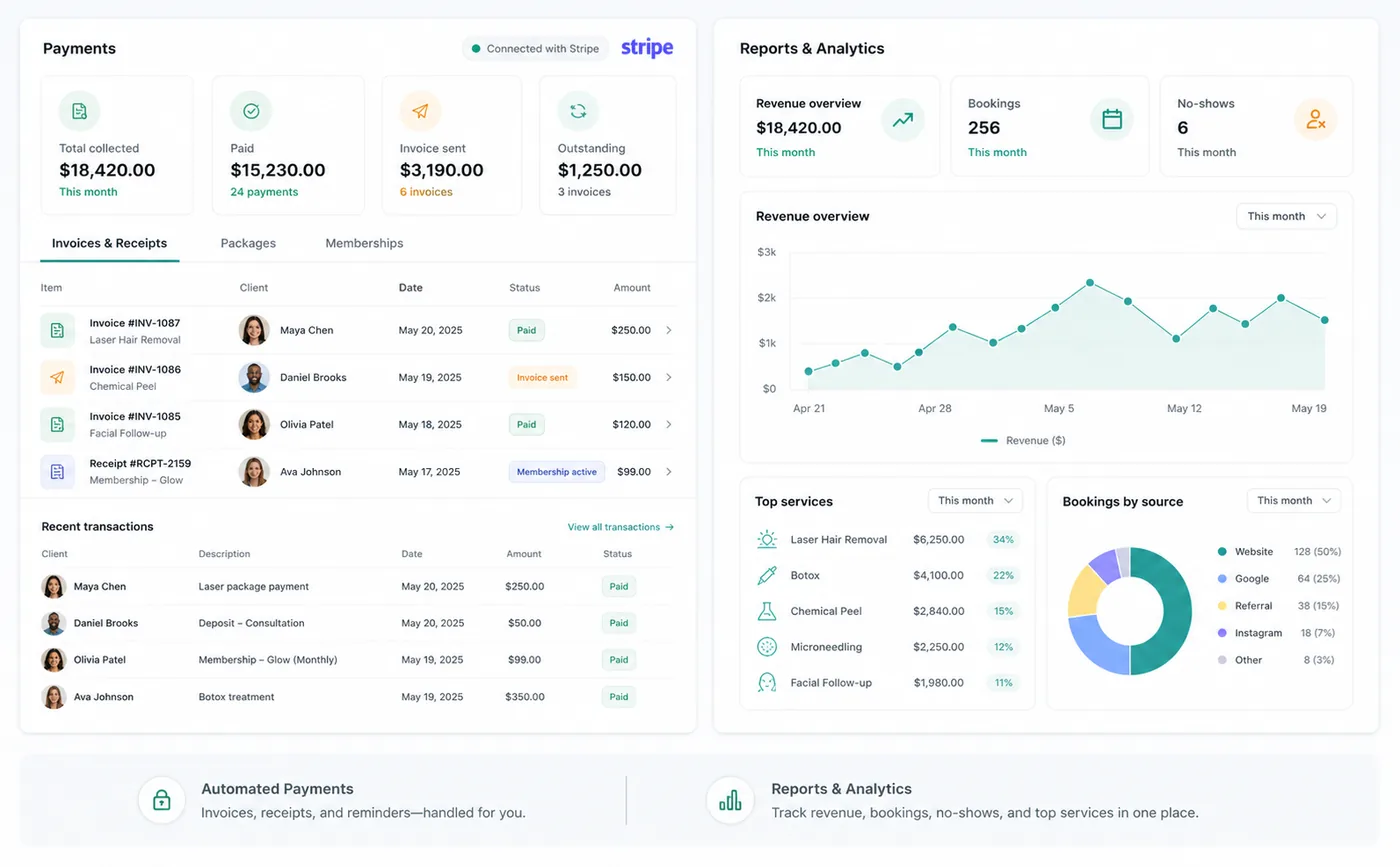
Clinics connect through Stripe Connect, can register an in-person reader, and can charge an eligible saved client card without entering per-tenant API keys.
Open reference
Refunds you can account for
Owners and authorized billing staff
Refund and reconciliation tools keep Zenome payment records aligned with Stripe, cash activity, invoices, ledger entries, and client balances.
Open reference
Prepaid value, clearly tracked
Owners, reception, and providers
Packages are prepaid clinic offers with a defined value or included services, a client balance, and redemption history kept separate from recurring memberships.
Open reference
Memberships that stay in sync
Owners and authorized billing staff
Create recurring membership plans, collect regular payments, manage client benefits, and quickly see whether each membership is active, pending, or cancelled.
Open reference
The right message at the right time
Owners and reception
Transactional booking, form, invoice, receipt, refund, and reminder messages stay distinct from consent-aware marketing communication.
Open reference
See what needs attention
Owners and staff
Dashboard, Day, Reports, and the Zenome Assistant turn live clinic activity into focused queues, financial visibility, and verified navigation help.
Open reference