Zenome reference

Clients, forms, and consents

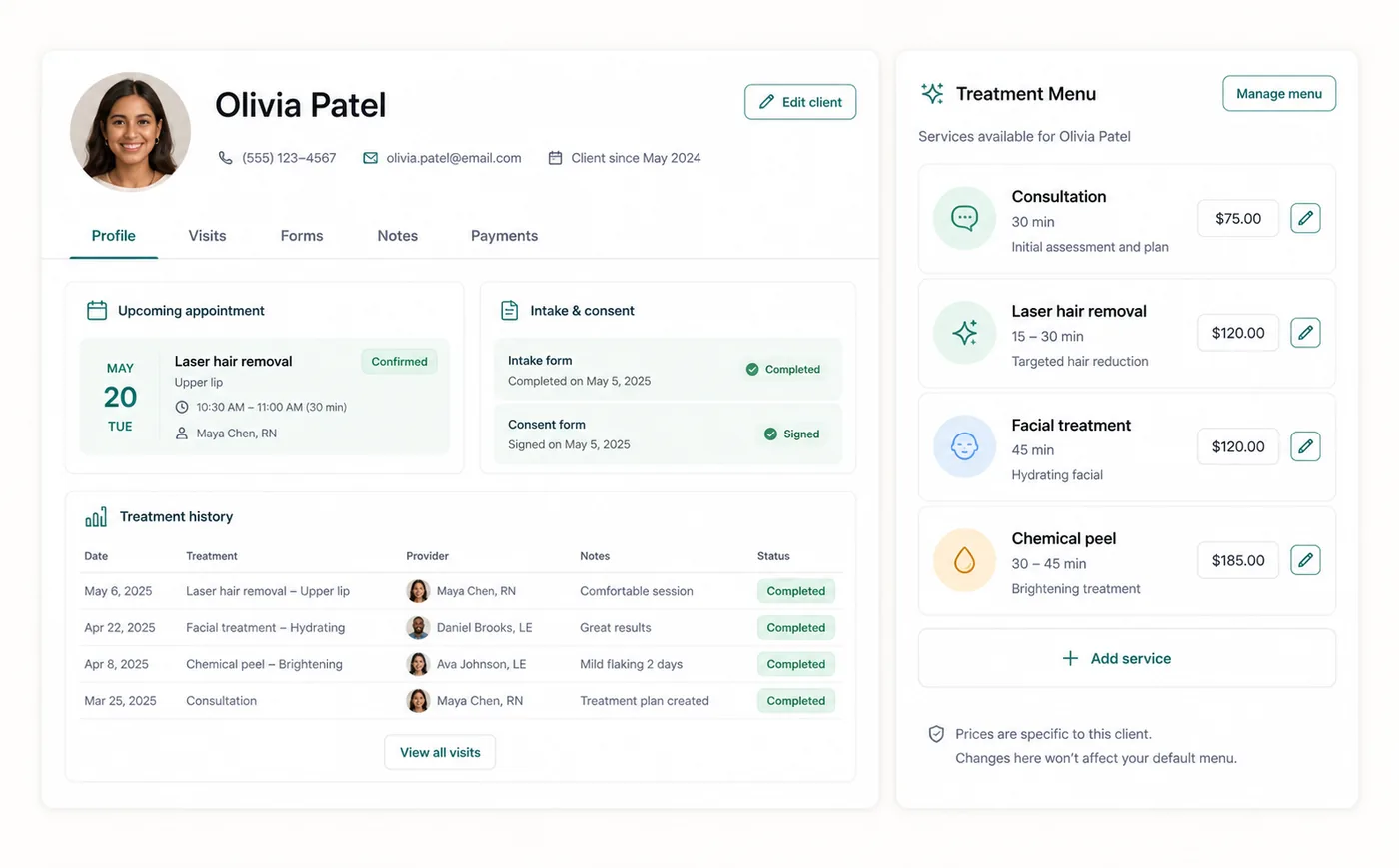
Client profiles connect contact details, appointments, chart notes, forms, communications, files, groups, billing, portal access, and duplicate-management tools.

Zenome client and treatment workspace with forms and visit context

The complete client story

Profile and visitsForms and consentsNotes and files
A preview of the Zenome workspace. Your screen may vary slightly based on clinic settings and staff access.

Set it up

Before the workflow starts

  • Create reusable form and consent templates in Settings.
  • Assign templates to the services or workflows that require them.
  • Review client form fields, portal access, and communication preferences.

Use it

The normal workflow

  • Search for the client and open the relevant profile tab.
  • Assign, open, review, or remind for forms from the client or appointment context.
  • Review duplicate matches before merging, and choose the surviving profile carefully.

Good to know

Helpful reminders

  • Zenome helps prevent duplicate profiles when the same email is already in use.
  • Completed consent forms stay with the correct client and visit.
  • Merging or archiving a profile keeps its important history available to the clinic.

Common tasks and fixes

Step-by-step help