Zenome reference

Reports, front desk, and assistant

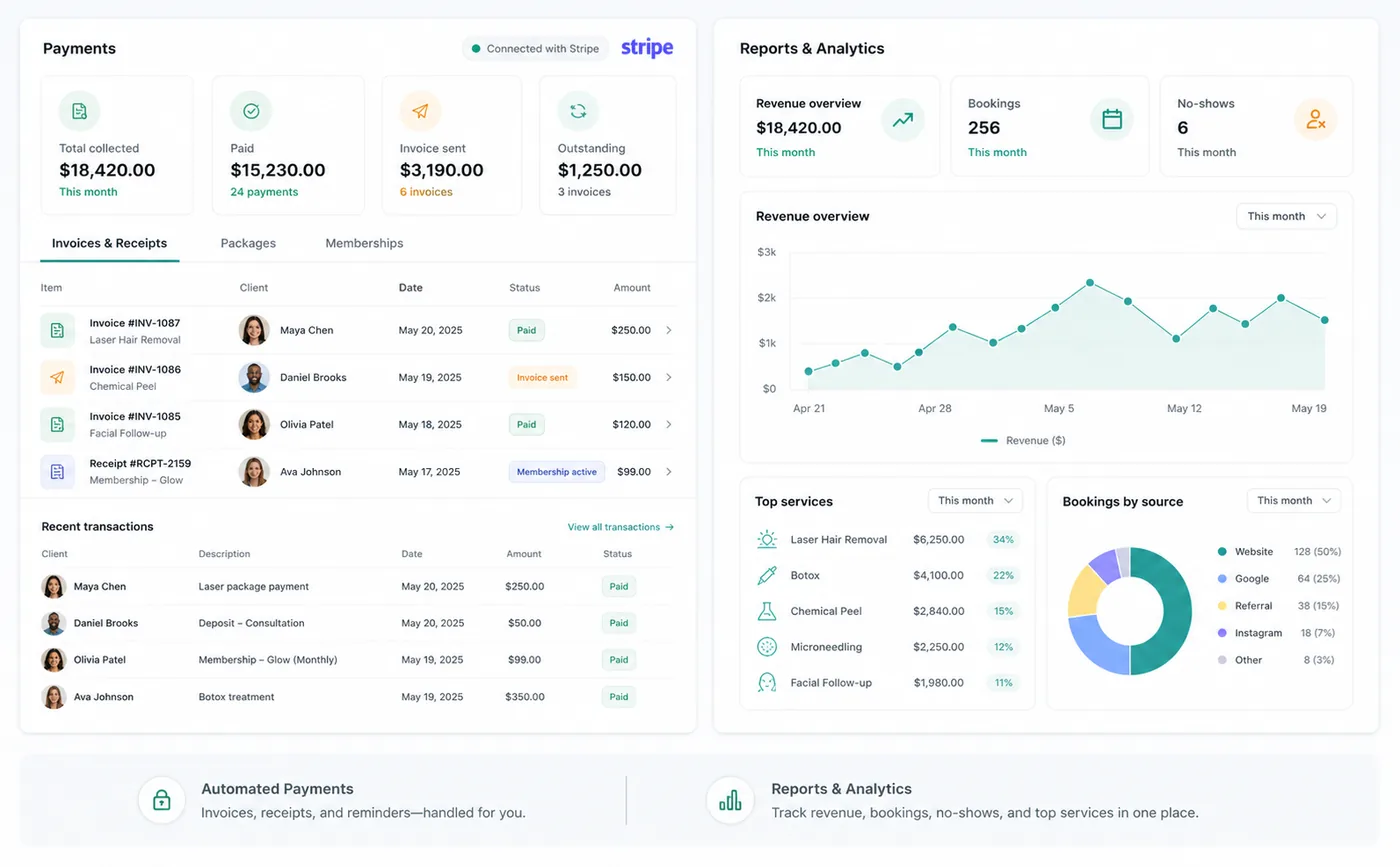
Dashboard, Day, Reports, and the Zenome Assistant turn live clinic activity into focused queues, financial visibility, and verified navigation help.

Zenome dashboard, reporting, and operational insights workspace

See what needs attention

Front-desk queueClinic insightsGuided help
A preview of the Zenome workspace. Your screen may vary slightly based on clinic settings and staff access.

Set it up

Before the workflow starts

  • Review dashboard permissions for each role.
  • Use Clinic Insights for owner-level configuration and business statistics.
  • Keep assistant questions free of personal, clinical, and payment-card information.

Use it

The normal workflow

  • Use the global search to find clients, appointments, services, and invoices.
  • Open the front-desk queue for arrived clients, incomplete forms, checkout, and follow-up work.
  • Ask the Assistant for verified navigation or generic administrative wording.

Good to know

Helpful reminders

  • For privacy, the Assistant gives general help without opening client details or making changes.
  • Staff members see only the clinic reports available to their role.
  • Assistant links open existing Zenome pages so staff can move through the workspace confidently.

Common tasks and fixes

Step-by-step help