
Zenome reference

Checkout, invoices, tax, and tips

Checkout turns completed services into independently traceable invoices while allowing eligible same-day appointments for one client to be collected together.

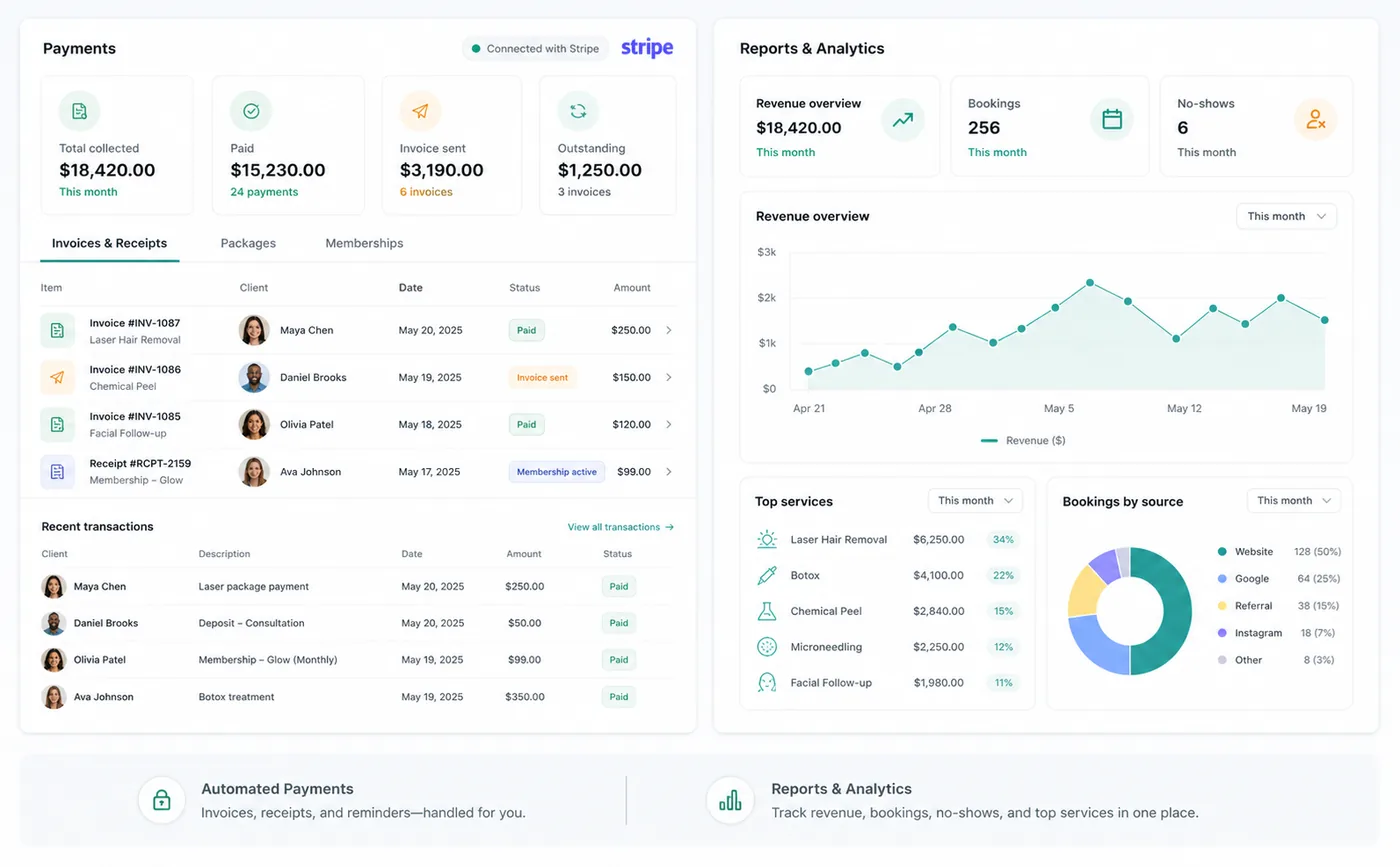
Zenome billing workspace with invoices, totals, and payment records

A checkout everyone can follow

Clear totalsTax and tipsPremium receipts
A preview of the Zenome workspace. Your screen may vary slightly based on clinic settings and staff access.

Set it up

Before the workflow starts

  • Create the clinic tax rule and assign it to taxable treatments.
  • Configure billing settings, receipt delivery, and tip availability.
  • Confirm the clinic logo, address, website, registration number, and payment processor setup.

Use it

The normal workflow

  • Complete each appointment independently and confirm the amount before tax.
  • Create or open the invoice, review subtotal, tax, tip, adjustments, paid amount, and balance.
  • Collect one payment across eligible invoices when desired; allocation remains attached to each invoice.

Good to know

Helpful reminders

  • Tax is added to the before-tax service price using the clinic's selected tax rule.
  • Tips appear as their own line on the invoice and are never treated as tax or service revenue.
  • Money returned to a client does not appear as a new amount they owe.

Common tasks and fixes

Step-by-step help