
Zenome reference

Refunds and reconciliation

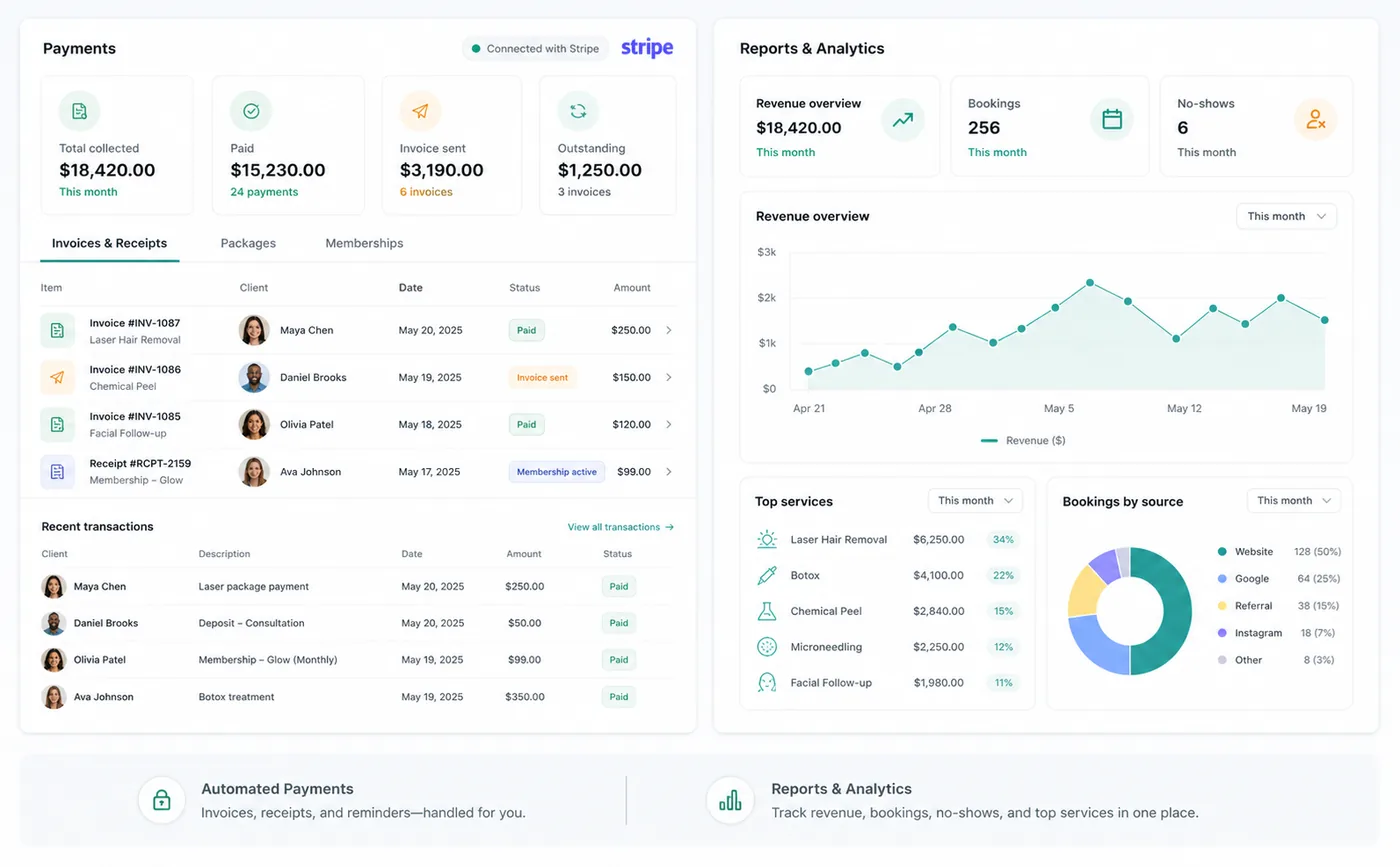
Refund and reconciliation tools keep Zenome payment records aligned with Stripe, cash activity, invoices, ledger entries, and client balances.

Zenome payment reconciliation and refund reporting workspace

Refunds you can account for

Payment historyRefund statusBalanced records
A preview of the Zenome workspace. Your screen may vary slightly based on clinic settings and staff access.

Set it up

Before the workflow starts

  • Connect Stripe and verify billing permissions for the staff who handle refunds.
  • Review reconciliation controls and processor transaction visibility.
  • Use cash or manual refund recording only for payments that were not processed by Stripe.

Use it

The normal workflow

  • Open the invoice and select the eligible payment and refund amount.
  • For Stripe payments, wait for Stripe to accept the refund before Zenome records completion.
  • Review the refund status, external reference, invoice balance, and reconciliation record.

Good to know

Helpful reminders

  • Zenome records a Stripe refund only after Stripe accepts it.
  • The same refund cannot be added twice by mistake.
  • A refund returns money to the client; it never becomes a new balance due.

Common tasks and fixes

Step-by-step help