
Zenome reference

Stripe, Terminal, and saved cards

Clinics connect through Stripe Connect, can register an in-person reader, and can charge an eligible saved client card without entering per-tenant API keys.

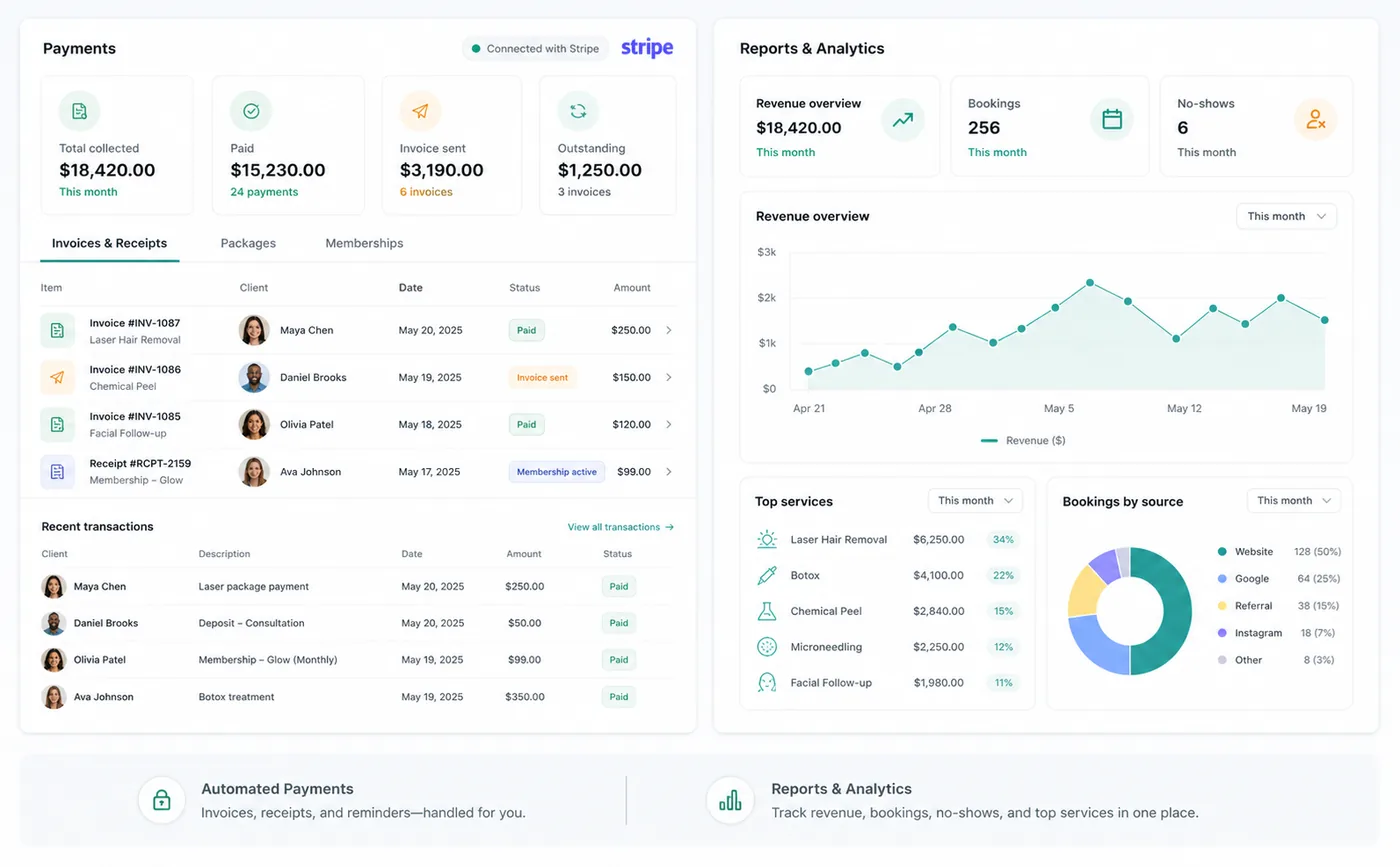
Zenome Stripe-connected payments and reader workspace

Flexible ways to get paid

Stripe TerminalSaved cardsTip choices
A preview of the Zenome workspace. Your screen may vary slightly based on clinic settings and staff access.

Set it up

Before the workflow starts

  • Complete Stripe Connect onboarding and Stripe identity or bank verification.
  • Register a Terminal reader only when the clinic accepts in-person card payments.
  • Configure tips and reader branding, then run a controlled test before live use.

Use it

The normal workflow

  • Choose Stripe Terminal for an in-person reader payment or saved card for an authorized card-on-file payment.
  • Terminal presents the eligible tip choices before card confirmation when tips are enabled.
  • Zenome refreshes invoice and dashboard status after Stripe confirms the payment.

Good to know

Helpful reminders

  • New clinics connect their Stripe account without copying private Stripe keys into Zenome.
  • Every clinic receives payments through its own connected Stripe account.
  • If a card payment is still processing, check its status before trying it again.

Common tasks and fixes

Step-by-step help